
Import STL models
Solid reliefs with a flat back work best, or try the sample models right away: box, dome, face.
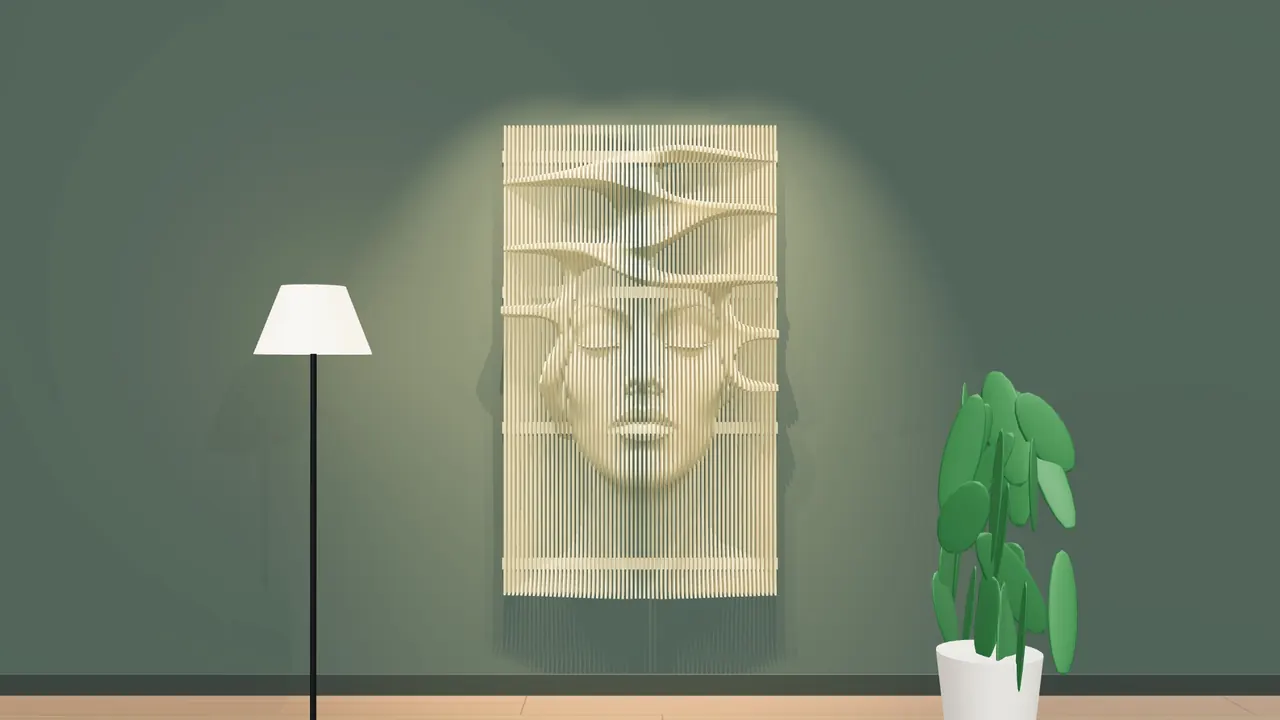
Load an STL, enter the wall size, wood thickness and slat spacing. The app makes the slats, interlocking comb rails, assembly numbers, sheet layouts and G-code for you. Cut them on your CNC and mount them on the wall.
A 3D slat wall (parametric wall or slat wall) slices a 3D model into many flat wooden slats. You cut them on a CNC machine and line them up on a wall until they form a relief. In Gcodai Studio it lives in 3D menu → 3D slat wall: import an STL, enter the wall size, wood thickness and gap, and the app makes the slats, rails, assembly numbers and sheet layouts for you. Designing takes about 10 minutes.
The app cuts real cross-sections of the model at every step, giving flat slats you can cut on a CNC right away.
Slats sit side by side at the gap you set. Each part carries a number that tells you where it goes.
This example: 120×200 cm, 9 mm HMR plywood, 65 slats from 16 sheets.
Everything you need to make a wooden slat wall is in one window. Change a value and see the 3D result instantly.
Solid reliefs with a flat back work best, or try the sample models right away: box, dome, face.
Choose the slat direction to suit the wall and the design.
Enter width, height and relief depth, lock proportions if you like. Units are millimeters.
Set the gap or the slat spacing, and the app instantly shows the slat count and actual gap.
Pick what suits the site. Set screw holes every n slats, add rail rows, or drag rails around in the 3D view.
Every part gets a single-line number, shallow and never cut through, so nothing gets mixed up. Includes a CSV assembly list.
Original model, assembled slats, exploded, 2D cut parts and nested on sheets. Rotate all the way around.
Choose the sheet size and the app lays out parts to save wood, and tells you how many sheets to buy.
Send to CAM for toolpaths and simulation, then export G-code, or export DXF / SVG to use elsewhere.
It picks a bit with enough cutting length to cut through the wood thickness, with depth per pass and speeds.
Click a slat part on the sheet, then 3D → Edit 3D slat wall. The new result replaces the old set.
All images are real screenshots of the app, from a 120×200 cm wall job.
Open Gcodai Studio, click the 3D menu and choose 3D slat wall. Choose an STL file and the app repairs the model and positions it ready for slicing.
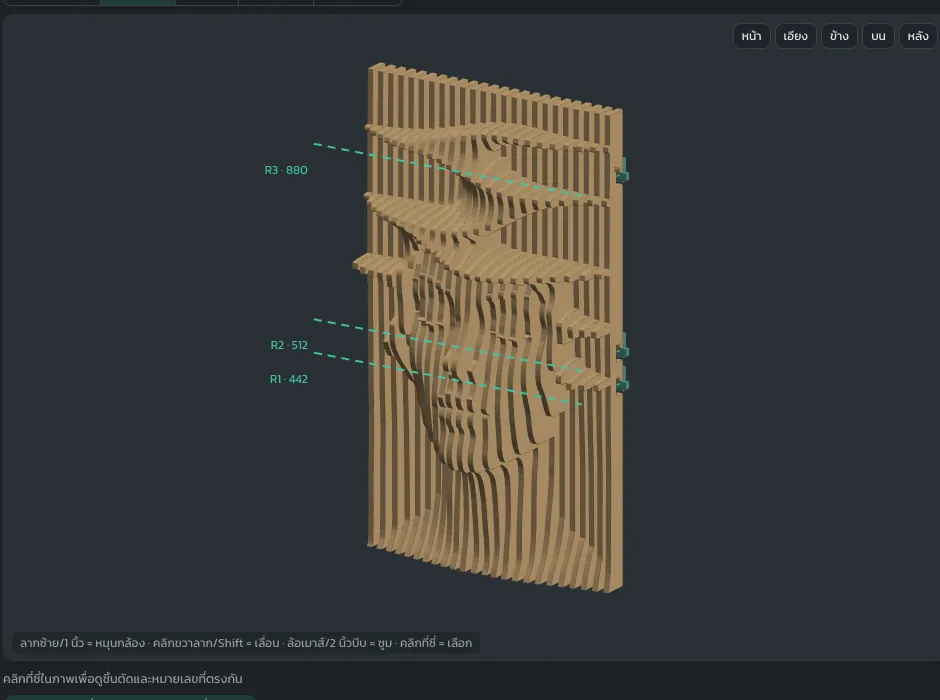
Enter width, height, relief depth, wood thickness and gap. The app shows the slat count, actual gap and job size instantly. Example: 1200 × 2000 mm, 9 mm wood, 9 mm gap.
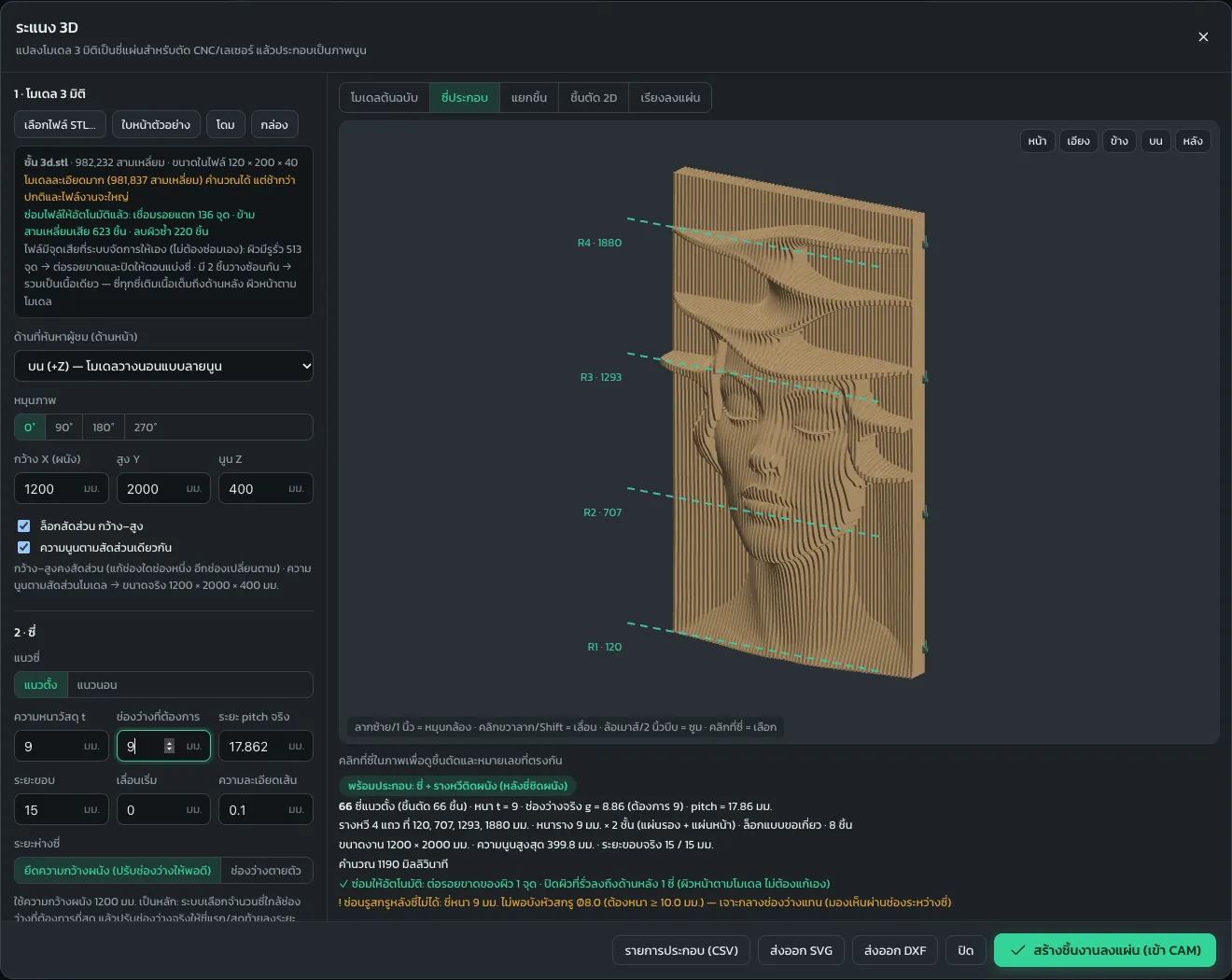
Choose assembled slats, dowels with a back panel, or wall-mounted comb rails. Pick hook locks or half-lap notches, set screw holes, then explode the view to see the comb rails at the back.
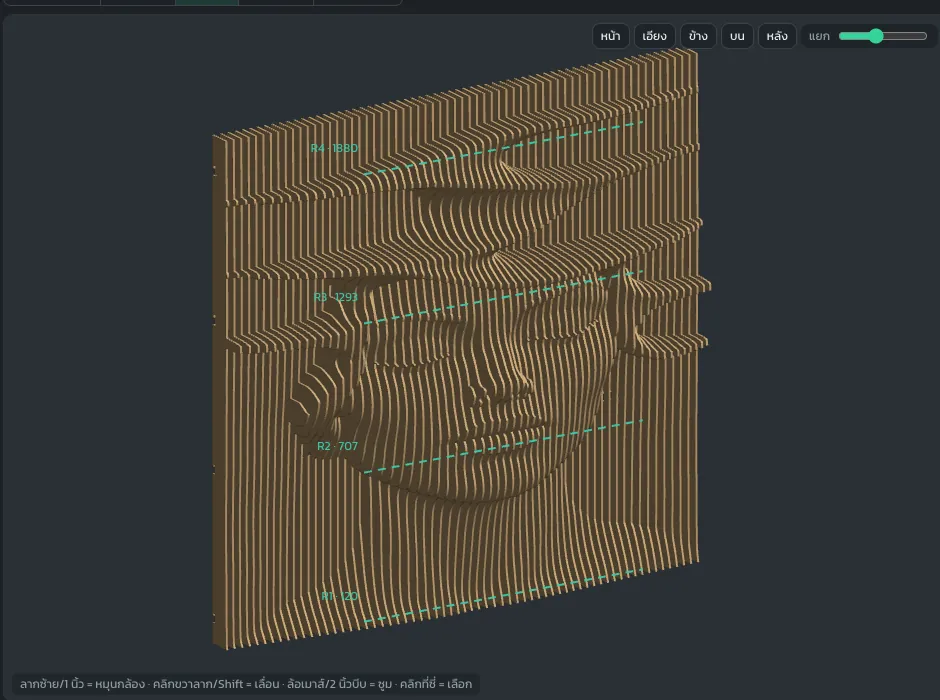
Tick engrave numbers on parts, choose the material, sheet size and bit. The app nests the parts onto sheets. This example gives 65 slats on 16 sheets.
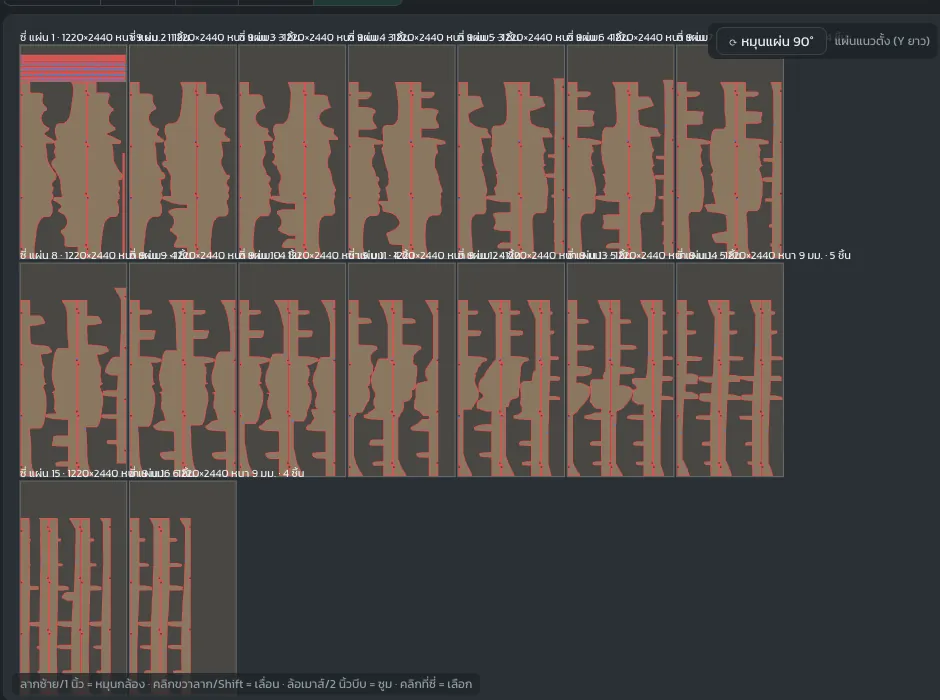
Click create parts on sheet and the app builds the toolpaths. Check the simulation first, then export G-code for your CNC machine, or export DXF / SVG.
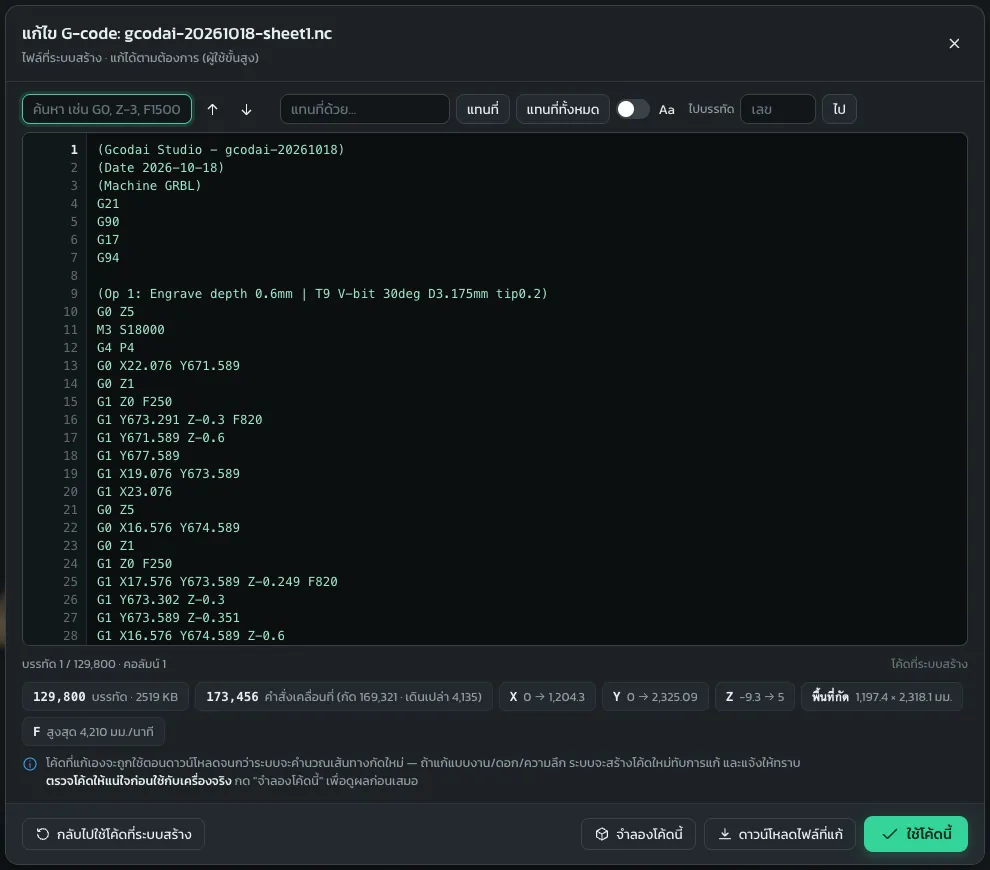
The parts, comb rails and sheet layouts come from files the app actually generated.
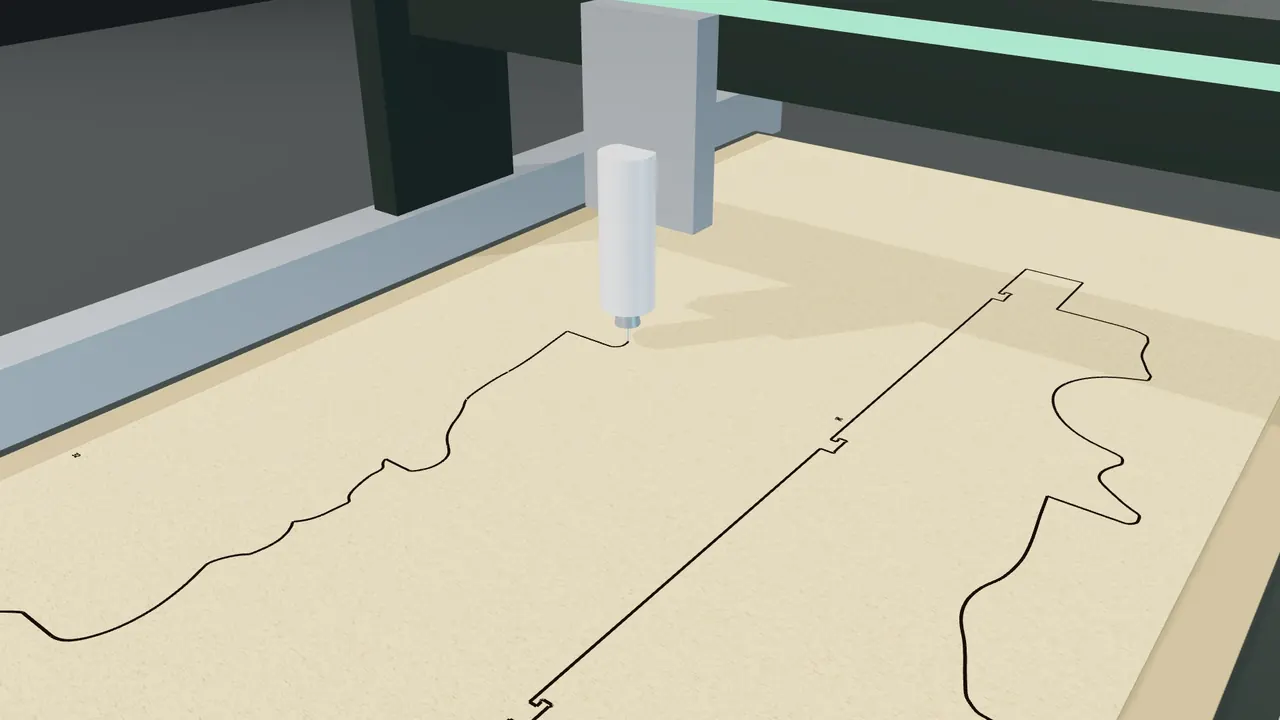
Send the file to the machine. The bit follows each slat shape and rail slot, giving parts ready to assemble.
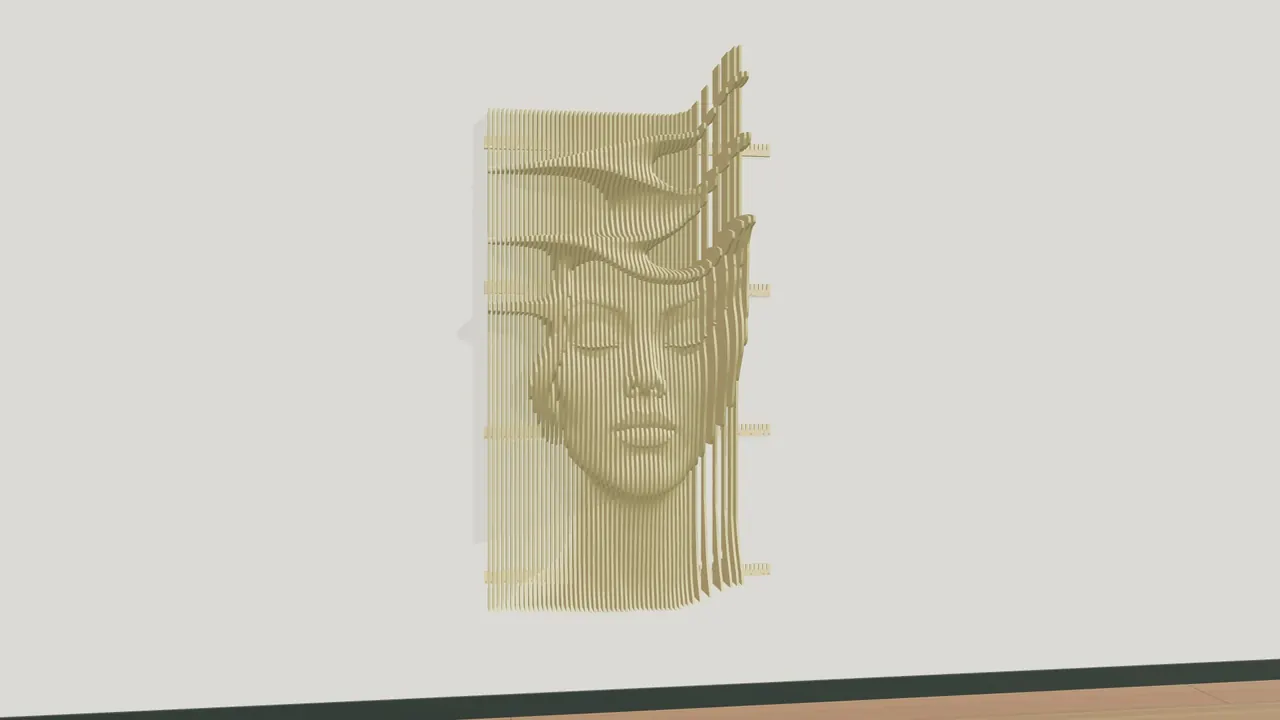
Fix the comb rails to the wall, then fit the slats one by one by number and press them firmly into the locks.

Design the waves as shelves for plants, books or collectibles. A wall that looks great and is useful.
The cutting, assembly and room scenes are 3D illustrations made from real parts generated in the app.
The video is in Thai; every step is shown on screen.
Parametric slat walls are high-value decor, made from ordinary sheet wood.
Sign up with your Google account and start making 3D slat walls right away, no card needed. If you like it, buy once and use it for life. Pay by PromptPay (Thai payments) or card.
Try 3D slat wall freeIt slices a 3D model into many flat wooden slats. You cut them on a CNC machine and line them up on a wall until they form a relief. It is also called a parametric wall or slat wall. In Gcodai Studio it is in the 3D menu → 3D slat wall.
A 3D model in STL format. Solid reliefs with a flat back work best. You can find them on sites that share or sell 3D models, or sculpt your own in 3D modeling software. No file yet? Try the sample models in the app right away: box, dome, face.
You set everything yourself. The example on this page uses 9 mm HMR plywood with a 9 mm gap on a 120×200 cm wall, giving 65 slats from 16 sheets of 122×244 cm. The app calculates the slat count, the actual gap and the number of sheets.
There are 3 options: assembled slats, dowels with a slotted back panel, or wall-mounted comb rails. With comb rails, choose hook locks (cannot be pulled out, recommended) or half-lap notches, and set the screw hole size and a screw hole every n slats.
No. Tick engrave numbers on parts and the app engraves single-line numbers, shallow and never cut through. You can also export the assembly list as CSV.
It exports G-code for common CNC routers such as GRBL, Mach3/Mach4, NcStudio, DSP Richauto, Syntec and others, and you can adjust the machine file format yourself. Or export DXF / SVG for other software or cutting machines.
If the app warns that the sheet is larger than the machine work area, rotate the sheet 90° or choose a smaller sheet size, and the app re-nests the parts for you.
No. Gcodai Studio runs in your web browser on Windows, Mac and tablets. Sign up and try every feature free for 3 days. There is a step-by-step guide in the 3D slat wall lesson.
Open the app and try it with a sample model. Nothing to install.