ไทย Pricing

Online CNC software, no install, on any device

Gcodai Studio is CAM software that opens in your web browser. Design signs, create toolpaths, simulate in 3D and export G-code on Windows, Mac, iPad and tablets. Ucancam, ArtCAM, Type3, VCarve Pro and Aspire must be installed on each computer one by one, and most run only on Windows. Gcodai is a one-time purchase from 1,990 THB. This page compares the strengths, the areas where competitors are still better, and the prices.

  • Full Thai interface
  • No dongle, unlimited computers
  • G-code for 12 machine types

Information updated

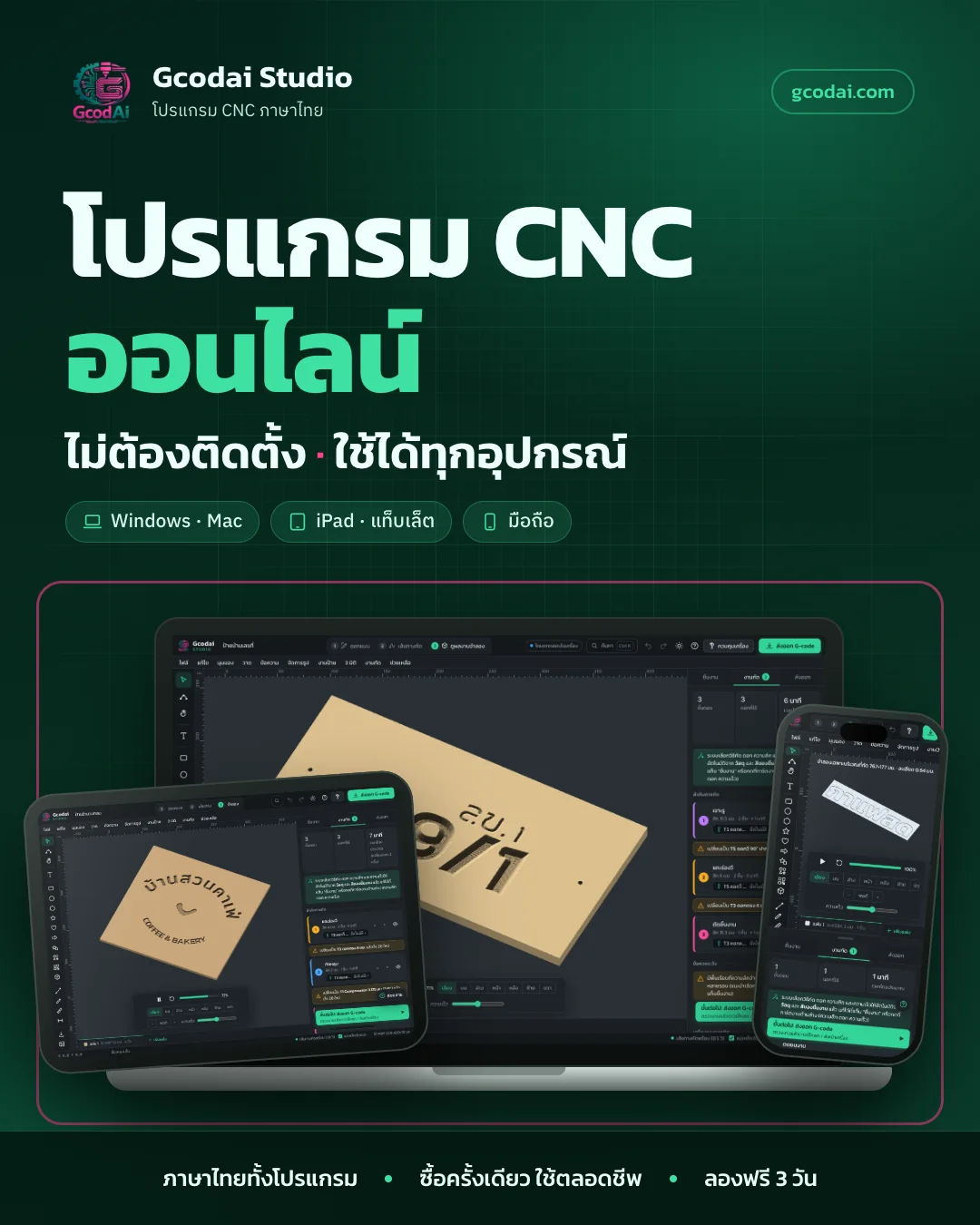
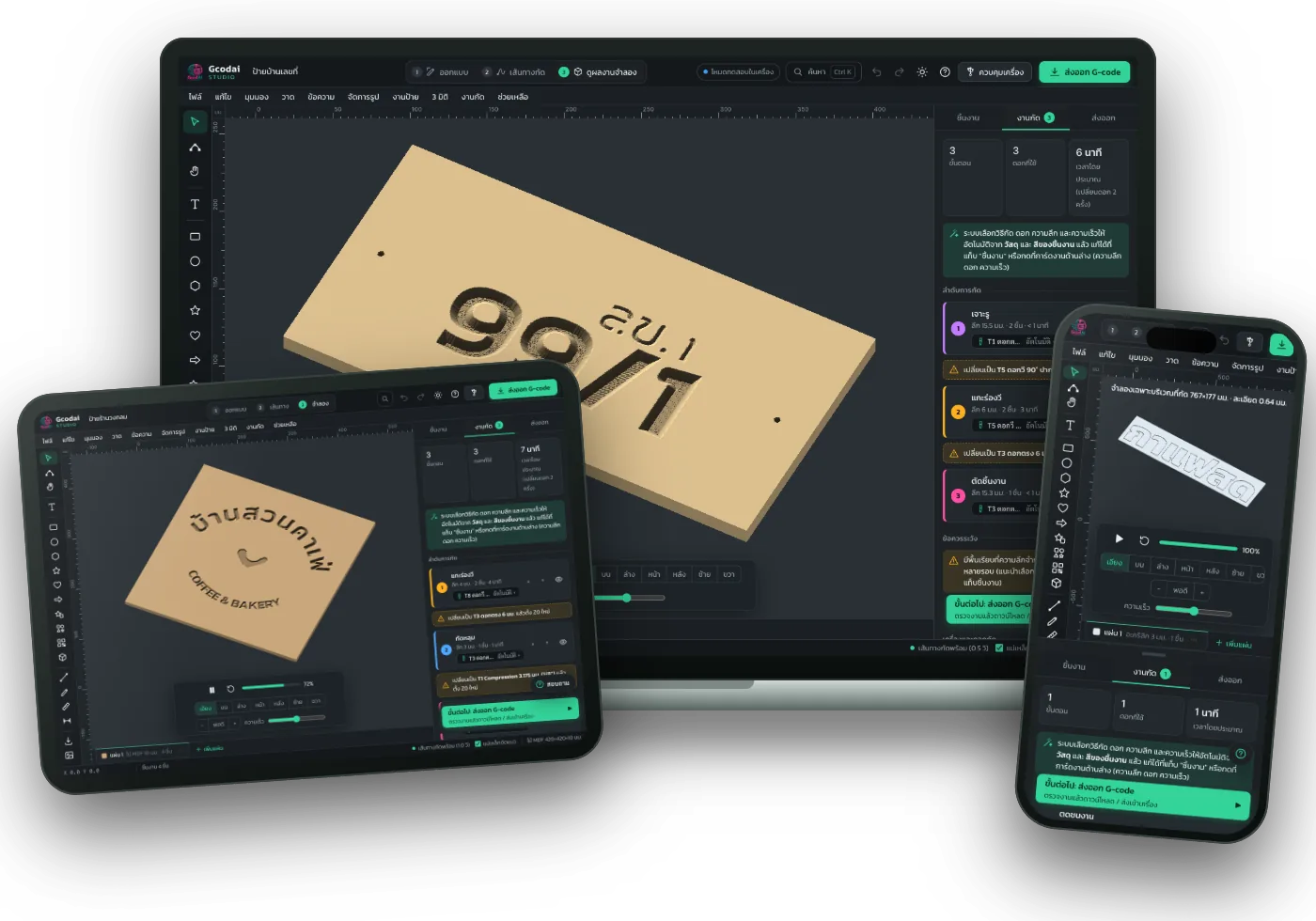
Real Gcodai Studio screens on a laptop, tablet and phone, simulating a wooden sign being carved

Which CNC software suits your shop?

If your main work is signs, cutting acrylic, ACP and wood, V-carving and LED sign work, Gcodai Studio does it all at the lowest price, with a full Thai interface. If your main work is sculpting 3D reliefs yourself, Aspire is still the better fit. For shops using DSP controllers that need encrypted files, Ucancam is still more convenient.

Gcodai StudioSign shops, CNC beginners to pros

House number signs, acrylic letters, light box signs, inlays, 3D slat walls, 4-axis turning. You want to use several computers, work on a Mac or iPad, and let the software choose bits, depths and speeds for you.

AspireVectric

Mainly 3D relief carving, such as stacking relief layers, combining heights, sculpting surfaces with brushes, and sweeping mouldings along a path, with a software budget of about 67,000 THB.

VCarve ProVectric

2D and V-carve work that needs toolpath templates, Gadget scripts, detailed material previews and cutting times that account for machine acceleration. Runs on Windows.

UcancamPopular on Chinese CNC machines

Shops with DSP controllers or NcStudio versions that need encrypted files (.u00 .jg) sent straight from the software, and who are already used to its menus.

Type3Gravotech

Factories or engraving shops making large runs of serial-numbered name plates on Gravotech-group machines. Ask a reseller for the price.

ArtCAMDiscontinued since 2018

No longer for sale. Existing users focused on 3D reliefs can move to Carveco or Aspire. If you focus on sign work, you can move to Gcodai for a one-time price.

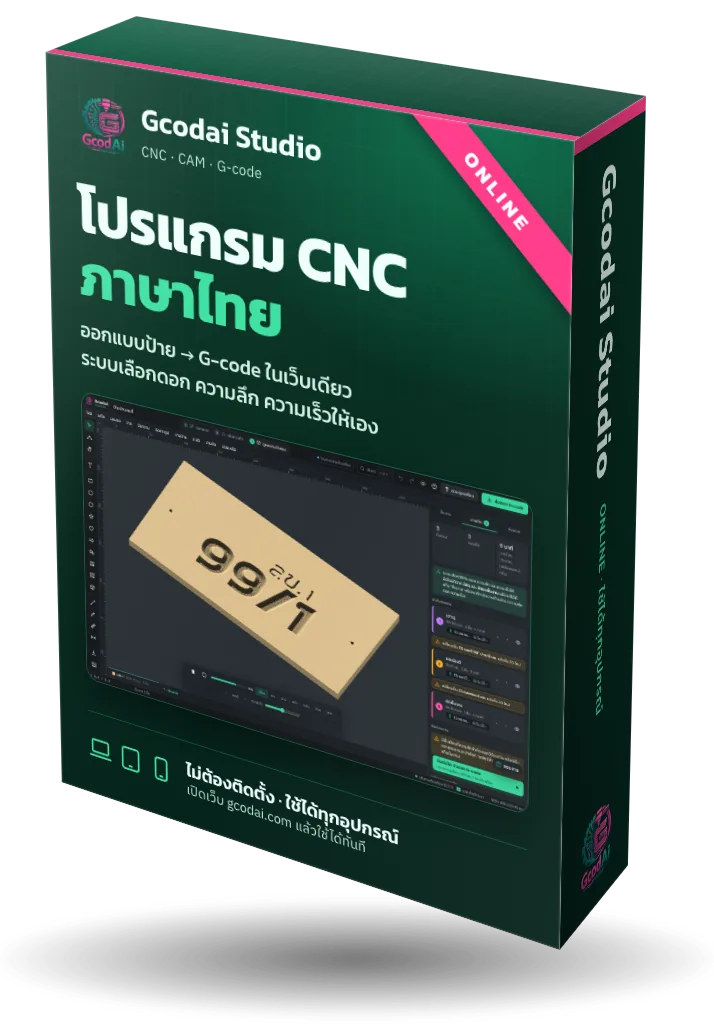
Gcodai Studio online edition product box, stating no install needed and works on every device

What you get when the software lives on the web

Gcodai Studio is an online product: no program disc and no dongle. Once you buy, the license goes into your account right away. Open gcodai.com on any computer and carry on working.

  • Lifetime license, pay onceNo monthly fee, no repeat charges. Upgrade your plan any time and pay only the difference.
  • Works on every computer in your shopSign in with Google or email. No limit on computers, no license transfers.
  • Updates itself, no reinstallingNew features in your plan are free. Next time you open the site, you have the latest version.
  • Guides and videos63-lesson guide and 10 tutorial videos (videos are in Thai; every button is shown on screen), plus an in-app help button that takes you straight to the menu.
  • Easy payment, automatic activationScan a PromptPay QR (Thai payments) or pay by credit/debit card. Ready to use right after payment.

How Gcodai differs from installed CAM software

Three things sign shops notice right away. Every image in this section is a real screen from the program.

Opens in the browser, works on every device

All 5 competitors on this page are installed on a computer, and most run only on Windows. To use them on a Mac you need to run Windows on top. Gcodai opens straight in the browser: design on your laptop at home, then open the same job on the computer next to the machine in your shop.

  • Windows, Mac and Linux in Chrome, Edge, Safari or Firefox
  • iPad and Android tablets for design, simulation and file export
  • Phones for viewing jobs or quick text edits

Sending jobs to the machine over USB needs Chrome or Edge on a computer.

Gcodai Studio poster: online CNC software, no install, works on every device, on a laptop, tablet and phone

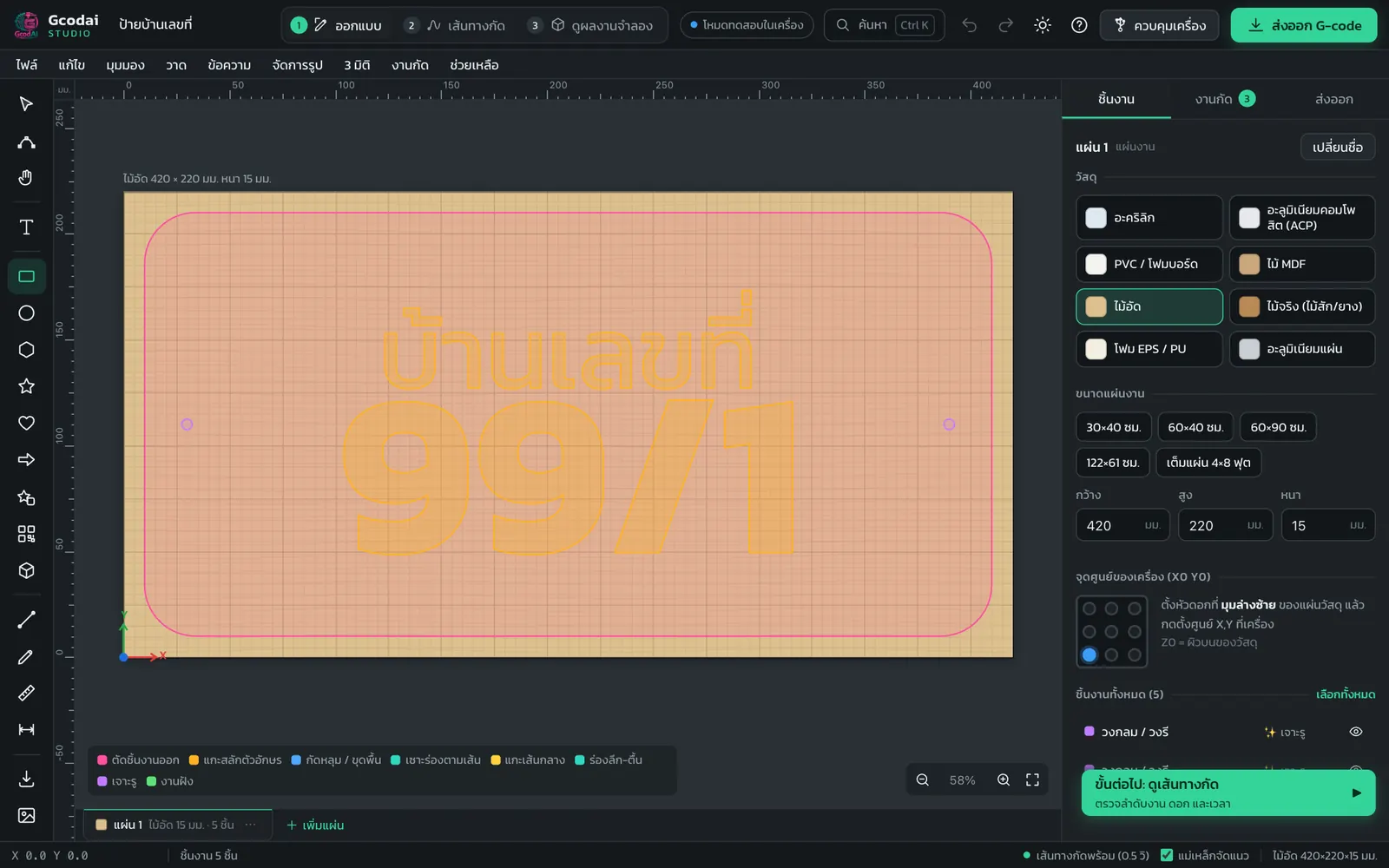
Full Thai interface, Thai fonts without floating vowels

Menus, warnings and guides are all available in Thai. Type Thai text with the 8 built-in fonts or add your shop's own fonts. Vowels and tone marks sit in the right place, with no need to convert text to curves in another program first.

Designing a Thai house number sign in Gcodai Studio, with the material and sheet size panel

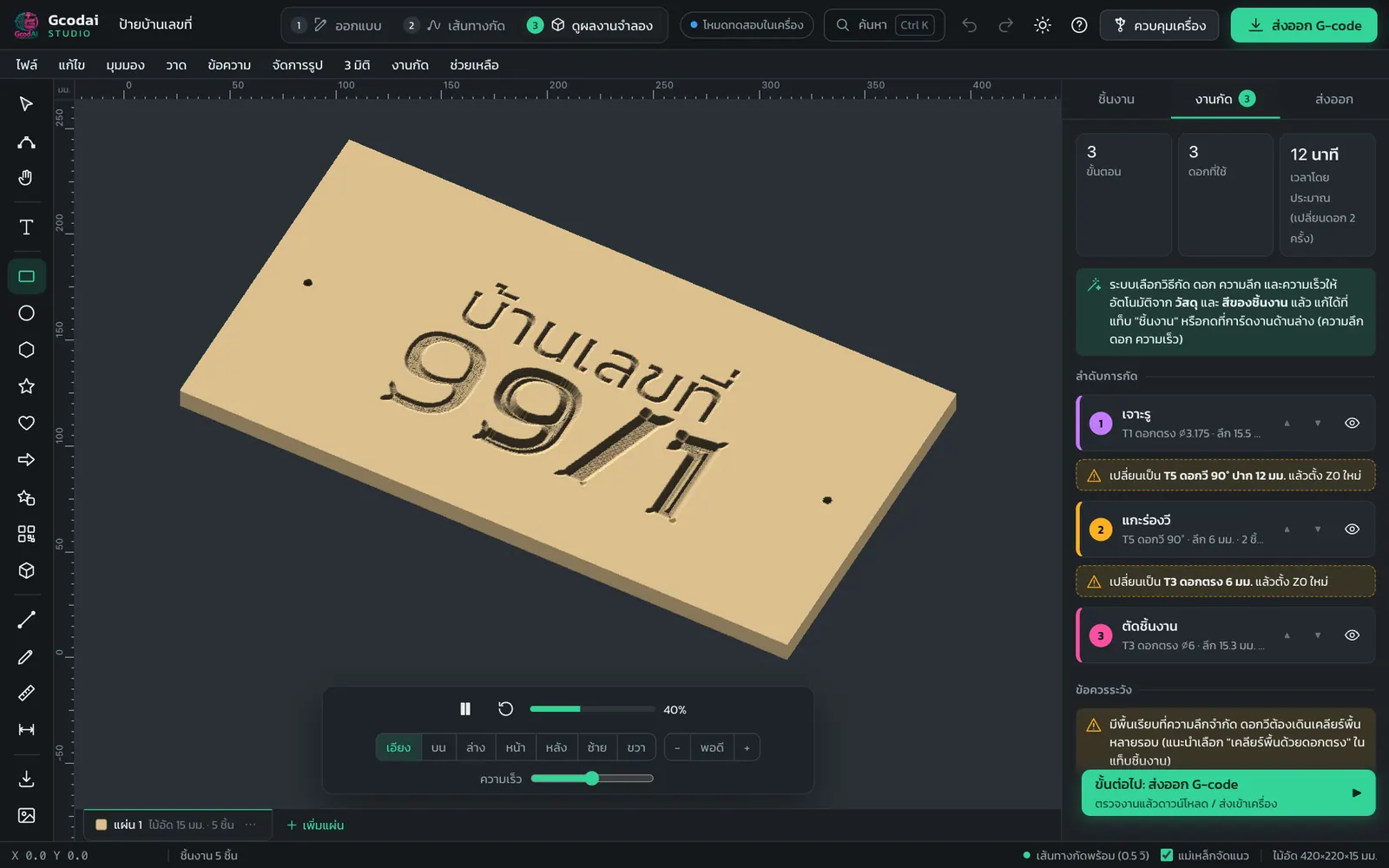
Bits, depths and speeds chosen for you, then simulate before you cut

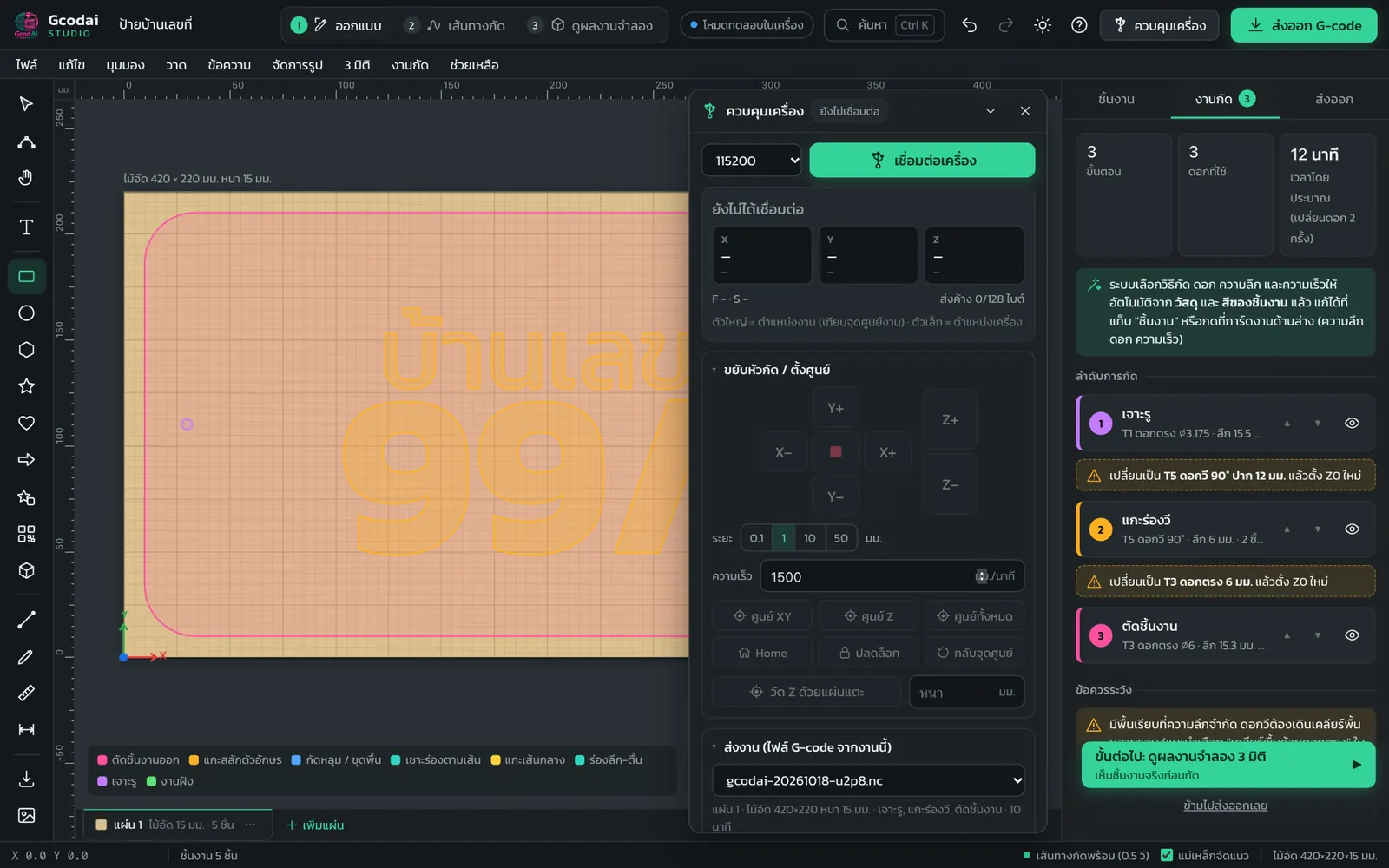
Pick the material and the color of each object. The system sets up the machining jobs, bits, depth per pass and speeds from your shop's tool library, tells you where tool changes happen, then simulates the cut in 3D so you see the part before running the machine.

3D cutting simulation of a wooden sign in Gcodai Studio, with the machining order and bits used

Send jobs to a GRBL machine from the web page

Plug in the USB cable, then jog, set zero, send, pause and resume, all on one page, with no separate sender program. For other machines such as Mach3, NcStudio or DSP, open the exported G-code file in your existing machine control software.

CNC machine control window in Gcodai Studio with jog buttons, zero setting and G-code sending

Sign design assistant

Type the size, material and text as a sentence in Thai and get 3 sign designs with machining jobs ready.

Illuminated letter signs

Lay out LEDs in letters, count the watts, pick a power supply, and unroll letter returns onto ACP sheets.

3D slat walls and turning

Slice STL models into wooden slat walls and do 4-axis rotary turning in the same program.

Gcodai vs Ucancam, ArtCAM, Type3, VCarve Pro and Aspire

For 2D sign work, including profile cuts, pockets, V-carving, prism letters and bevels, Gcodai is close to Ucancam and VCarve Pro. What only Gcodai offers: it opens on the web, works on Mac and iPad, has a full Thai interface, and includes a sign design assistant that works from a Thai sentence.

Based on the capabilities each maker lists on its website and in its manuals as of October 2026. We did not test the competing programs ourselves. Some «Partial» cells for competitors depend on the edition you buy; for example, VCarve Desktop does less than VCarve Pro.
FeatureGcodai StudioWeb · ThaiUcancamArtCAMDiscontinued 2018Type3VCarve ProAspire
Usage
Opens on the web, works on Mac / iPadYesNoNoNoNoNo
Full Thai menus and guidesYesPartialNoNoNoNo
Plugins / scripts to add your own toolsNoNoPartialNoYesYes
Design / drawing
Thai text, text on a pathYesPartialPartialYesPartialPartial
Bezier pen, node editing, weld / trim shapesYesYesYesYesYesYes
Image to vectors (Trace)YesYesYesYesYesYes
Serial-numbered name plates in batchesPartialYesNoYesPartialPartial
Sign design assistant from a sentenceYesNoNoNoNoNo
2D toolpaths
Profile, pocket, drill, V-carve, tabsYesYesYesYesYesYes
Prism, 3D bevel, waveboard textureYesYesPartialYesPartialYes
Rest machining with a smaller bitYesYesYesYesYesYes
Inlay · dogbone inside cornersYesPartialPartialPartialYesYes
Toolpath templatesPartialPartialPartialYesYesYes
3D
Relief from image / STL / raised lettersYesPartialYesYesPartialYes
Sculpt reliefs, stack layers, combine heightsNoNoYesPartialNoYes
Mouldings swept along a pathNoPartialYesPartialPartialYes
Rotary axis · two-sided machiningYesPartialYesPartialYesYes
Check before cutting
3D simulation with realistic materialPartialPartialYesYesYesYes
Cutting time with machine accelerationNoNoPartialPartialYesYes
Code export / machines
GRBL, Mach3, LinuxCNC, UCCNC, Masso, etc.YesYesYesYesYesYes
Encrypted DSP files (.u00 / .jg / .mmg)NoYesNoPartialNoNo
Split large jobs · one file per bitYesYesPartialYesYesYes
Send jobs to the machine from the softwareYesNoNoNoPartialPartial

Swipe the table left to see the other programs

Where competitors still do better than Gcodai

We say it plainly so you can pick the right software for the job. If your shop's work is mainly in these areas, try Gcodai free for 3 days before deciding, or choose the program that is strongest at it.

Sculpting 3D reliefs yourself

Aspire · ArtCAM / Carveco

Stack relief layers, combine heights, sculpt surfaces with brushes. In Gcodai today: you can create reliefs from images, STL files and raised letters, but you cannot sculpt the surface by hand yet.

Mouldings swept along a path

Aspire · ArtCAM / Carveco

Sweep a profile along one or two rails to make frames and mouldings quickly. In Gcodai today: this tool does not exist yet.

Realistic material preview

VCarve Pro · Aspire · Type3

Shows wood grain and material color, and plays back each job in detail. In Gcodai today: every job can be simulated in 3D and rotated, but the material surface looks plainer.

Cutting time with machine acceleration

VCarve Pro · Aspire

Makes job quotes more accurate. In Gcodai today: estimated time is based on speed and distance. Jobs with many closely spaced points may take longer than shown.

Encrypted DSP files

Ucancam

Sends .u00 .jg files straight to the DSP controller. In Gcodai today: exports straight-line G-code for Richauto handheld DSP and NcStudio. Encrypted files must be converted with the controller maker's software.

Toolpath templates and add-on scripts

VCarve Pro · Aspire · Type3

Save a set of machining jobs and apply it to a new file in one click, and write Gadget scripts to add your own tools. In Gcodai today: there are example jobs and ready-made sign designs, but no scripting system yet.

Questions CNC users ask before switching software

How is Gcodai Studio different from Ucancam?

Gcodai Studio opens in a web browser: no install and no dongle. Every menu and guide is available in Thai. It picks bits, depths and speeds for you and can send jobs to a GRBL machine straight from the web page. Ucancam installs on Windows and can send the encrypted files of DSP controllers (.u00 .jg) directly, which Gcodai cannot do yet. For 2D sign work such as profile cuts, pockets, V-carving, prism letters and bevels, the two are close.

Can Gcodai replace VCarve Pro or Aspire?

If your main work is signs, profile cuts, V-carving, inlays and reliefs from images or STL files, yes, and it costs much less. But if you need to sculpt 3D reliefs yourself, stack multiple relief layers or sweep moulding profiles along a path, Aspire still does it better. VCarve Pro and Aspire also have toolpath templates and Gadget scripts, which Gcodai does not have yet.

Can I still buy ArtCAM? If I use it, where should I move?

Autodesk stopped selling ArtCAM in 2018, so you can no longer buy it. Its successor is Carveco, sold as a subscription from US$17.50 per month. If most of your work is signs and 2D jobs, you can move to Gcodai for a one-time price. If your main work is sculpting 3D reliefs, Carveco or Aspire is a better fit.

Does it really work on a Mac, iPad or phone?

Yes. Gcodai Studio runs in the browser, so you can design, simulate and export G-code on Windows, Mac, Linux, iPad, Android tablets and phones. For serious work we recommend a computer screen or a tablet. Sending jobs to the machine over USB needs Chrome or Edge on a computer.

Do I need to install anything or use a dongle? How many computers can I use?

No install, no program disc, no USB dongle. Your license is tied to your account: sign in with Google or email and use it on every computer in your shop, with no limit on the number of computers.

How much does Gcodai cost? Is there a monthly fee?

No monthly fee: pay once and use it for life. There are 3 plans: Starter 1,990 THB (regular 4,900) · Sign Shop 3,990 THB (regular 9,900) · Complete 6,990 THB (regular 16,900). Promo prices until Oct 31, 2026. Upgrade any time and pay only the difference. 3-day free trial, every feature. Pay by PromptPay QR or credit/debit card.

Which machines can use G-code from Gcodai?

It exports 12 formats: GRBL, grblHAL/FluidNC, Mach3/Mach4, UCCNC, LinuxCNC, MASSO, Centroid Acorn, standard ISO/Fanuc G-code, CNC-ATC with automatic tool change (Syntec/LNC), handheld DSP (Richauto/Weihong, straight lines), NcStudio and GRBL laser. You can also customize the file format, except encrypted .u00 .jg .mmg files, which must be converted with the controller maker's software.

Where do the competitor prices on this page come from?

VCarve Desktop, VCarve Pro and Aspire prices come from the Vectric store. Carveco prices come from the Carveco website, checked on Oct 21, 2026. Converted to baht at 1 USD ≈ 33.6 THB and rounded to the nearest hundred, so they are approximate and exclude VAT. Ucancam and Type3 do not publish prices online; ask a reseller.

Gcodai prices vs other CNC software

Gcodai is a one-time purchase for lifetime use, from 1,990 to 6,990 THB, compared with about 23,500 THB for VCarve Pro and about 67,000 THB for Aspire. Carveco, the successor to ArtCAM, charges monthly. Click a Gcodai plan to buy it right away.

Not sure yet? Try free for 3 days, every feature first · Upgrade later and pay only the difference · Refund policy

Other software prices from the makers' websites

Baht amounts are approximate, converted at 1 USD ≈ 33.6 THB (October 2026), rounded to the nearest hundred, excluding VAT.

SoftwareListed price≈ THBPricing modelRuns on
Gcodai Studio3 plans · promo price until Oct 31, 20261,990 / 3,990 / 6,990 THB1,990–6,990Pay once, lifetime use, free updatesEvery device, via the web
VCarve DesktopVectric · for machines up to 24×24 inUS$349≈ 11,700Perpetual license, new versions are paid upgradesWindows
VCarve ProVectricUS$699≈ 23,500Perpetual license, new versions are paid upgradesWindows
AspireVectricUS$1,995≈ 67,000Perpetual license, new versions are paid upgradesWindows
Carveco MakerArtCAM successorFrom US$17.50 / month≈ 600 / monthSubscriptionWindows
Carveco Maker PlusArtCAM successorFrom US$50 / month≈ 1,700 / monthSubscriptionWindows
Carveco ProArtCAM successorFrom US$250 / month≈ 8,400 / monthSubscriptionWindows
ArtCAMAutodeskDiscontinued since 2018No longer for saleWindows
UcancamNo price published online, contact a resellerContact a resellerWindows
Type3GravotechNo price published online, contact a resellerContact a resellerInstalled on a computer

Price sources, checked Oct 21, 2026. Makers can change prices at any time, so check their websites before buying. The Vectric store shows prices including 7% VAT for buyers in Thailand (US$373.43 / 747.93 / 2,134.65).

  1. vectric.com/compare VCarve Desktop, VCarve Pro, Aspire prices
  2. vectric.com/support/system-requirements VCarve and Aspire run on Windows (Mac via Parallels)
  3. carveco.com starting monthly prices of Carveco Maker, Maker Plus, Carveco Pro
  4. support.carveco.com Carveco runs on 64-bit Windows
  5. gravotech.us Type3 is part of the Gravotech group
  6. Exchange rate reference: European Central Bank, Oct 20, 2026 (1 USD = 33.65 THB)